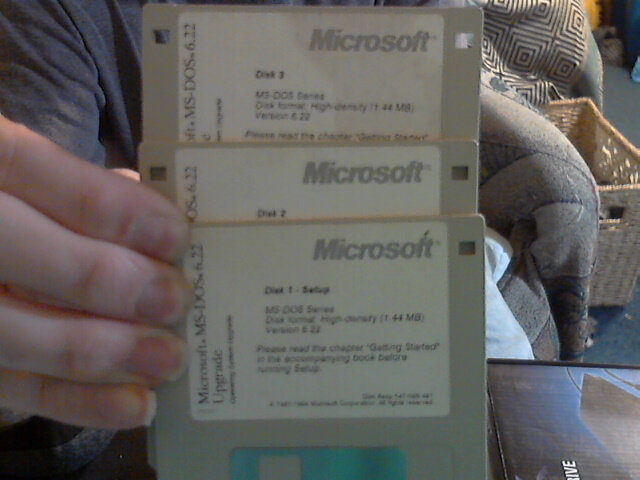
Didn't even think I had them anymore, and was looking for my 6 original Windows 3.1 3 1/2" disks. So I'm looking through this one box, and wouldn't you believe it, I saw MS-DOS 6.22 Upgrade and went, I HAVE THESE?!?!?!???? SINCE WHEN!!??!???
So I hurried up and copied all 3 disks to a new folder on one of my hard drives, but this time, I copied each disk to its own folder, as there are 3 disks. The files aren't even that big, as these disks max capacity is 1.44. These are the High Density disks actually.
Anyway, it's just more stuff that I love. I have a DOS 6.2 PC, but I don't want to upgrade it. Only for the fact that if something goes wrong, I don't have a DOS 6.2 install disk, I just have the 6.22 upgrade disk. What that means is, I would need to have a DOS 5.0 disk, or a DOS 6.0 installation disk, install that first, and then I can install the 6.22 upgrade. Recently did that on a Virtual Machine I made, just to see if it would work, and sure enough it did. But that was with ISO files attached to the VM. I used to have a DOS 4.0 install disk set, but not sure what happened to it. And the problem there is I believe it may have been on 5 1/4" floppy disks.
My 3 1/2" disks STILL work flawlessly which is really freaking cool!! But the majority of my 5 1/4" disks are all but non-functional.
This page is a permanent link to the reply below and its nested replies. See all post replies »
@Beatbox34 Really?? That sucks. Well one thing I was reading is that the disks can get stuff on them, and then that bacteria or whatever can transfer onto the heads that read the disk. From there, any disks you put into the drive, can scratch and damage the disk.
I wish I could find a disk cleaning disk, but no luck so far.
@twiigss These disks were very sensitive. I mean even the 3 1/2 inches were prone to decay.
I even had a lot of optical discs get mold on them. But those were the days. I used to divide my files in multiple 1.44 sections to fit in multiple disks.
@Beatbox34 YES!! Actually, when Windows 95 came out, they put the whole things on something like 27 3 1/2" disks. The only problem however is, if those disks weren't kept safe from damage, you get to disk 14 and Disk Read Error. (A)bort, (R)etry or (F)ail?
So you would press R to retry the file that gave you trouble. Abort and Fail would drop you back out at C:\>
My trick to that, go into Scandisk, and run it on the disk, and you could fix bad sectors, and if there was any empty space left on the disk, it would literally repair the damaged sector, and actually bring the disk back into full working order. But then you needed to copy that disk onto a brand new disk.
@twiigss Oh man you reminded me of those days lol.
I have even used Windows 3.11. They were a pain to get it scanned. Back then the windows installations were so weird too. You'd have to boot a driver for the disc drive too if one needed. The funniest part I remember was this. There were two versions of Windows 95. One was Windows 95 and then the last update was in 1997 with internet explorer lol.
I was 7 years old and my dad would teach me to install all this.
@Beatbox34 WOW!! That's really awesome!! It was the best, going in and editing files to get other stuff to work how you wanted it to. When 95 first came out, it was a mess. It kept crashing all the time. BSOD. Install a printer, BSOD. Move the mouse, BSOD. I literally uninstalled 95, and went back to DOS 6.22.
Once I seen more and more games moving to Windows 95, I unhappily moved over eventually. Then the advent of AOL came out, and things got somewhat better. Then 98 came out and it was a little better, then 98SE, and that's the one I really got hooked on.
@drymer At the time, it's what I found out on my own. No one sat there and showed it to me. At the time, this stuff wasn't widely known either. In today's world, of course everyone knows this because those people have learned about it 🙄